Character Sheet Prompt
What the sheet is for
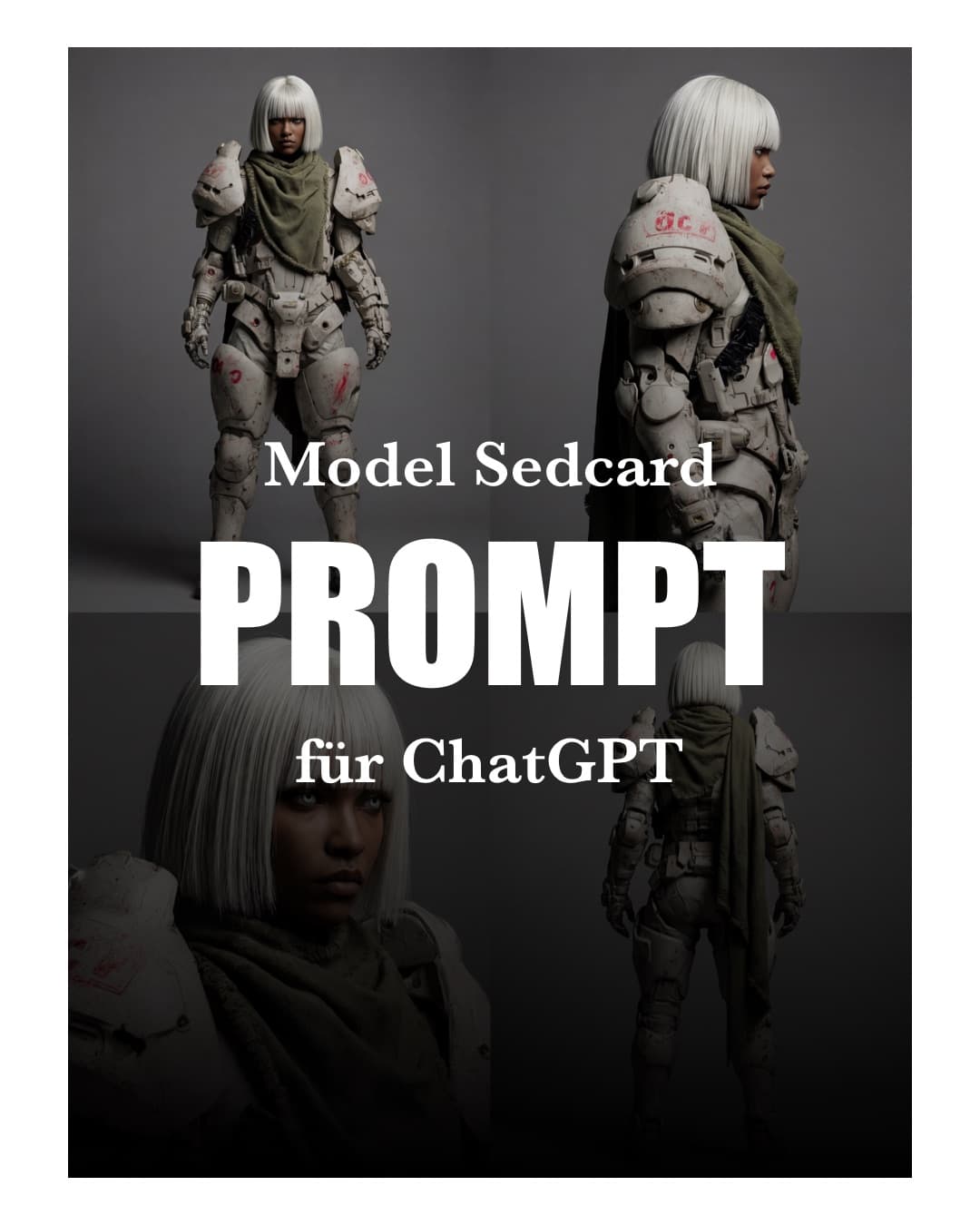
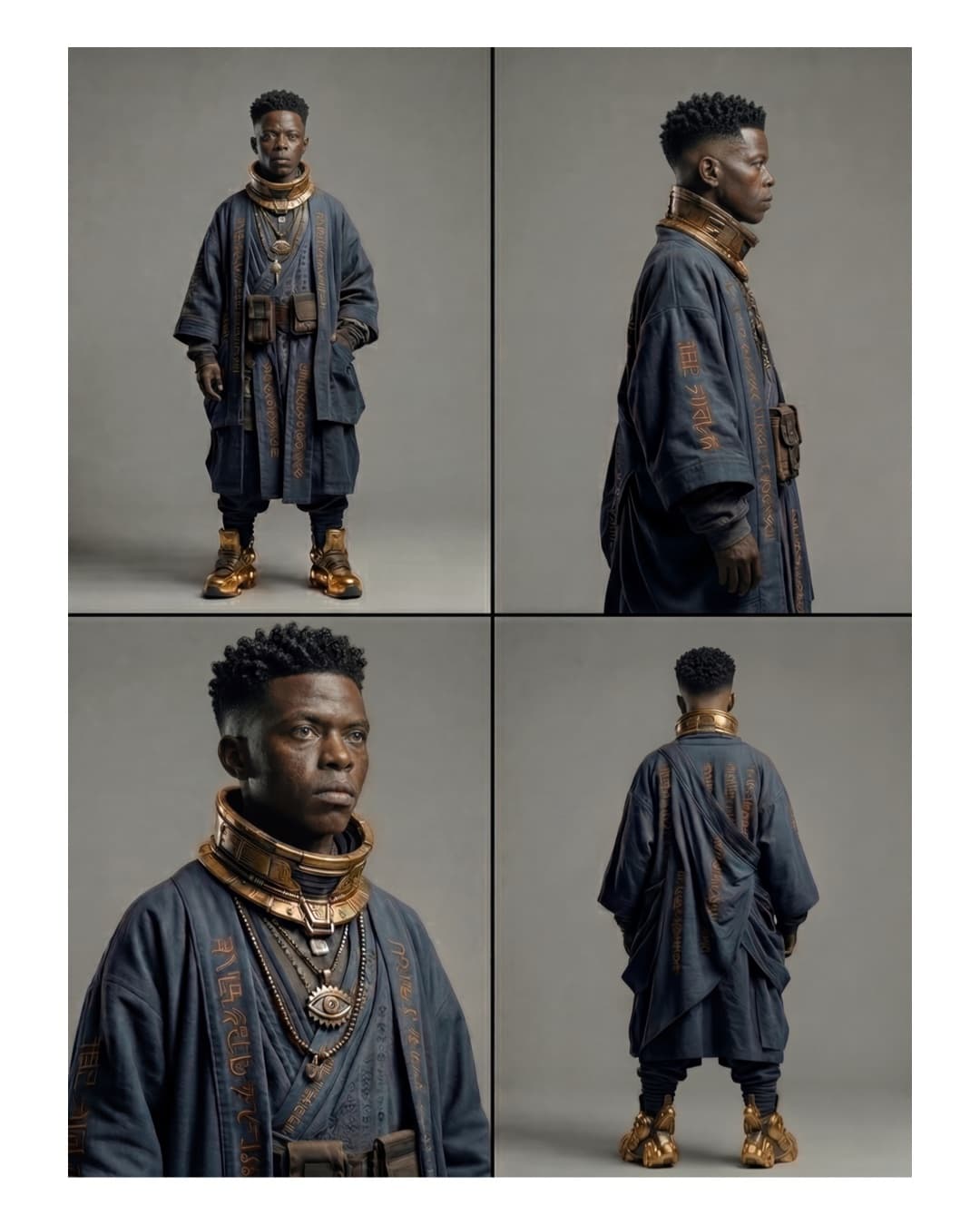
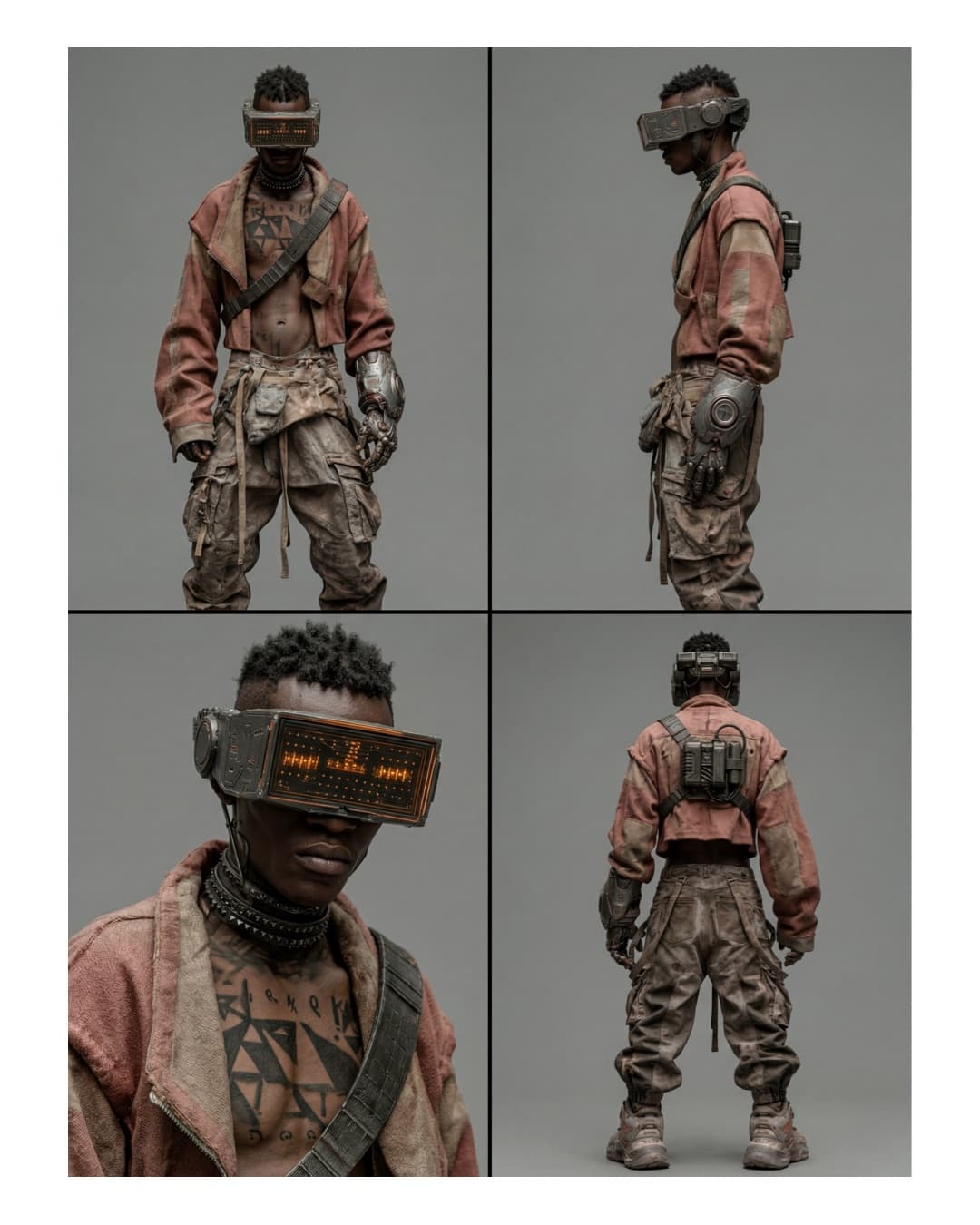
A character sheet is the stage before everything that follows: single images, start and end frames for video, more scenes with the same character. The sedcard shows the character from four angles, always in the same outfit and with the same facial structure.
Three reasons I start here:
- Identity. Video and image models generate each output on its own, with no memory. If the model only knows the front, it invents the side and the back, and that is where the character drifts. Several angles close that gap (see the sources below).
- Single images. You cut the panels out of the sheet and use them as references. You never describe the character again, you upload it.
- Lighting. More on that below, because it is where many video models struggle.
The prompt
The prompt stays in English. You fill in the bracket yourself (step 2). Copy it in full:
Technical character reference sheet, a 2x2 grid layout showing four distinct
panels of the same character. Subject: [DESCRIPTION OF YOUR SUBJECT]. The
subject is in @Image 1. Setting: Standing against a neutral, plain grey studio
background with cinematic high-contrast lighting. Panel 1: Wide full-body shot
from the front. Panel 2: Medium side profile shot. Panel 3: 45-degree angle
close-up portrait. Panel 4: Wide shot from the back. Style: Photorealistic,
shot on 35mm lens, gritty cinematic realism, deep shadows, rich textures, 8K
resolution. Maintain exact physical identity, facial structure, and outfit
details across all panels. No text, no logos.
In the post I filled the subject line like this: A 11 year old white boy in cyberpunk style. The starting image was attached to the request.
Step 1: Pick a starting image
The prompt works with any starting image. For me it works with generated characters from image models just as well as with real photos. The grid, the background and the lighting come from the prompt, the person or character comes from the image.
What the image should bring:
- The character is easy to recognize, ideally from the front or a three-quarter angle.
- The outfit is visible, because the prompt asks to keep it identical across all panels.
- No heavy distortion, no extreme angle.
For real photos: only people who agree to it, and only images you hold the rights to. Whether a tool accepts photos of real people at all is up to the provider. I do not test that for every tool individually, so try it with yours.
Step 2: Adapt the subject line
Replace [DESCRIPTION OF YOUR SUBJECT] with a short description of what the image shows: age, look, style. Examples:
A 30 year old woman in a dark trench coatAn armored soldier with a white bob haircut, post-apocalyptic styleA 11 year old boy in cyberpunk style(as in the post)
Leave the rest of the prompt unchanged. The panel order, the 35mm look and the sentence about identity are what keep the result stable.
Step 3: Generate
I use ChatGPT for this. Attach the starting image and paste the prompt. If your tool does not take @Image 1 references, replace that part with the attached image. In tools with reference syntax, keep @Image 1 and link your image.
Step 4: Check the panels
Look at each panel on its own before you reuse it:
- Is the face the same person in all four panels?
- Do outfit and details (cuts, colors, accessories) match?
- Does the light come from the same direction in every panel, with similar shadows?
- Is there no text and no logo in the image?
If something is off, change the subject line and generate again. You do not need to touch the rest of the prompt.
Why lighting is the important part
Video models struggle with consistent lighting as soon as camera angle and motion change. That is my experience, and the sources only back it indirectly: they describe lighting as one of the variables that cause drift once images move. I did not find a benchmark on it.
The prompt handles it like this:
- Neutral grey studio background. No environment that carries light or color into the character.
- High-contrast cinematic lighting, set for all four panels. That gives them the same light direction and the same deep shadows.
- No conflicting lighting info. A model that sees four references with four different lighting setups has to pick one of them.
One caveat: a reference can pull its lighting into the output. The sheet therefore commits you to this lighting character. If you need different light later, describe it in the scene prompt and check whether the model gives way to the reference.
Common mistakes
- A weak starting image. Blurry, cropped or heavily occluded: the model has to guess, and the sheet is only as good as the image.
- Too long a description in the subject line. Describe what the image shows and let the image carry the rest.
- Reusing panels unchecked. A flaw in the sheet ends up in every single image you build from it.
- Expecting perfection. No model currently delivers perfect consistency across many clips. The sheet reduces drift, it does not remove it.
The post
This is the carousel I used to show the prompt on Instagram. Eight slides, the sedcards come from this prompt.
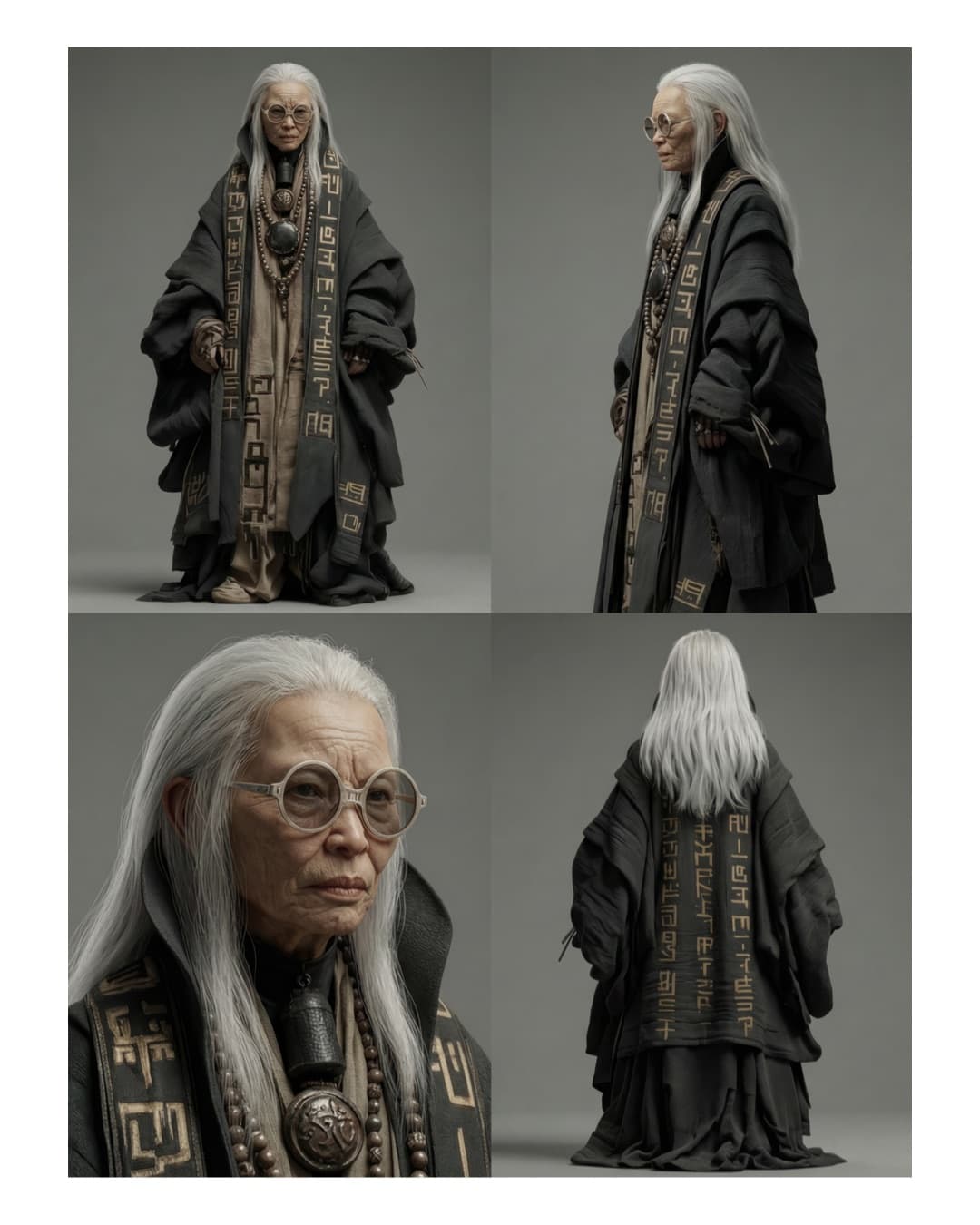
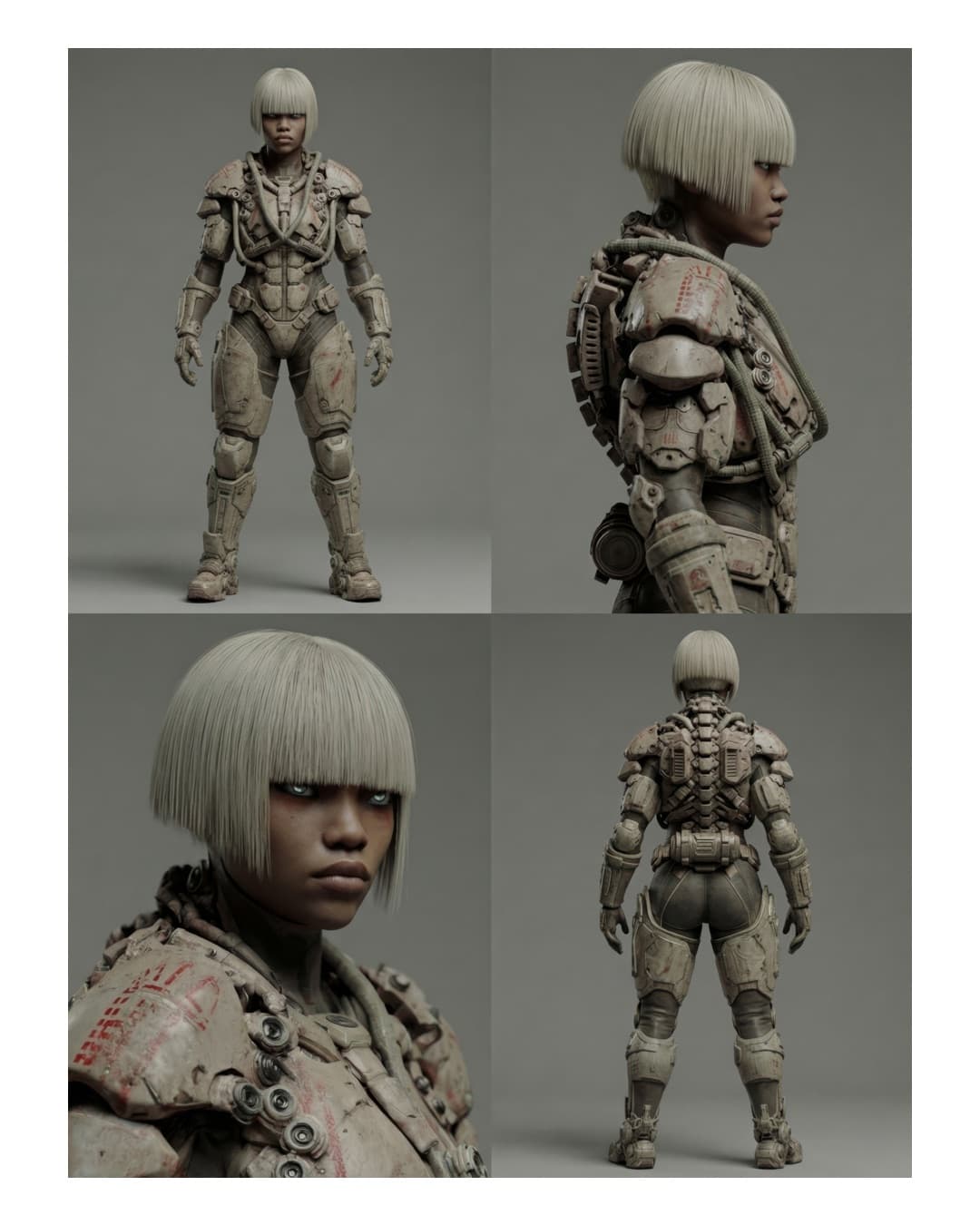
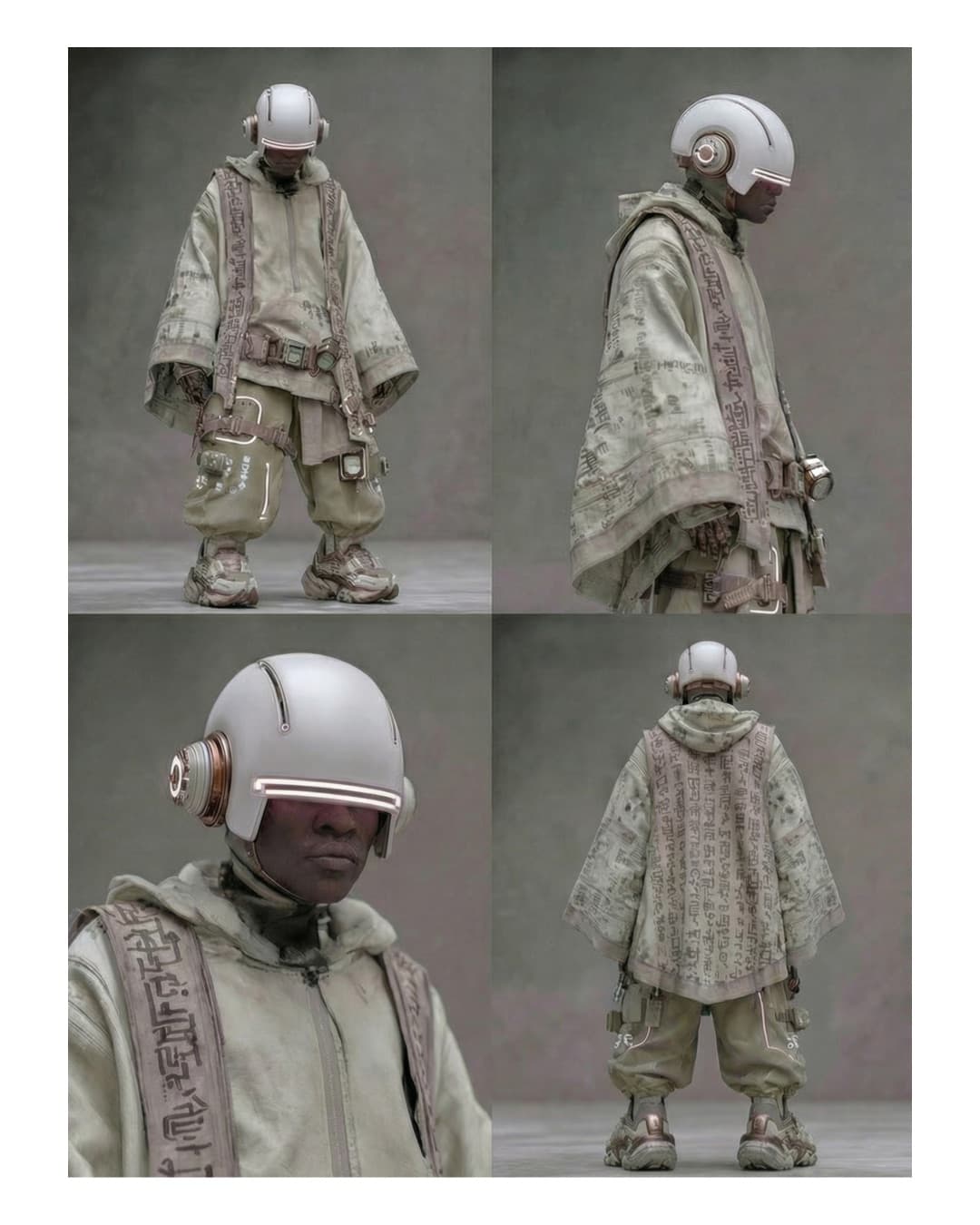
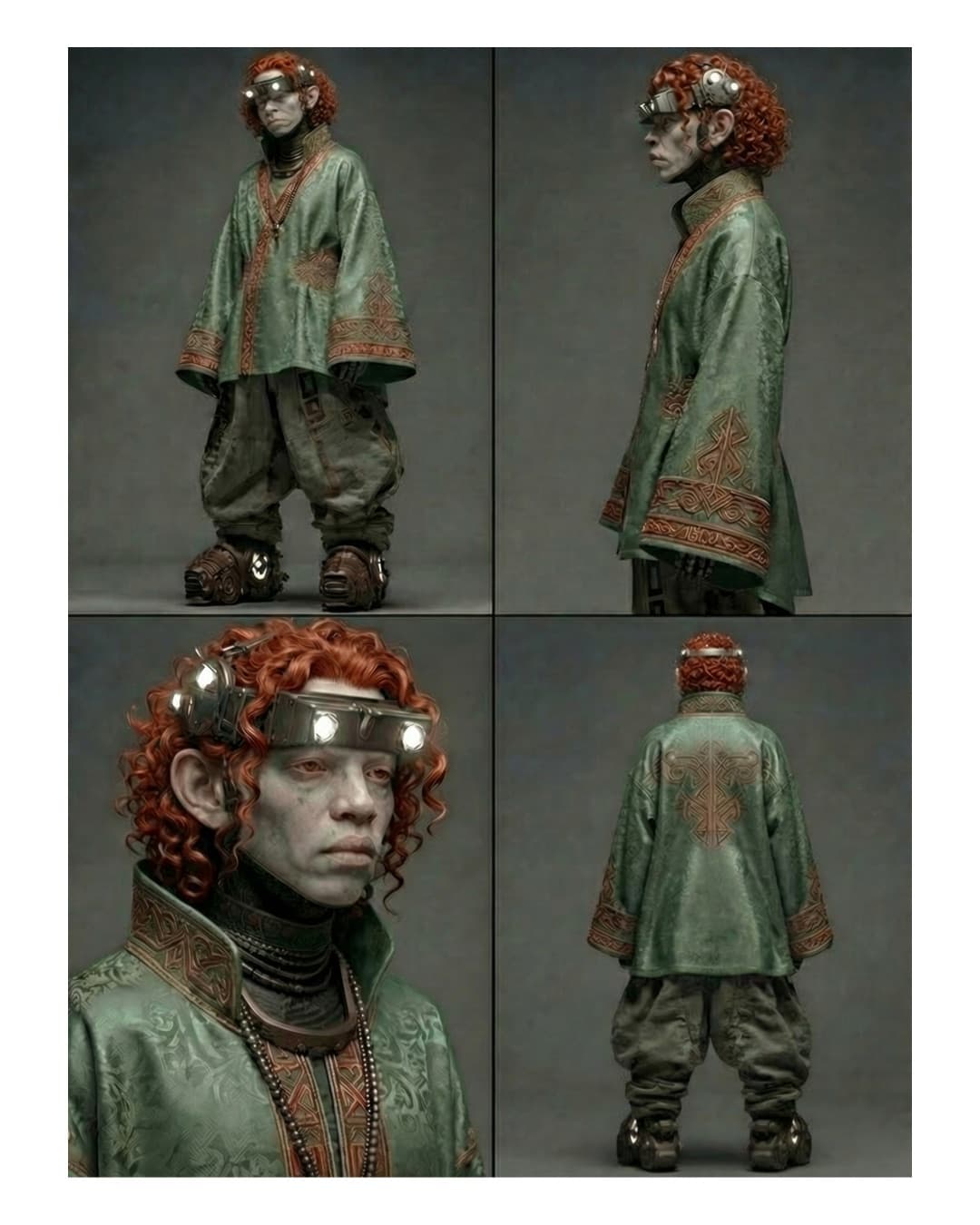
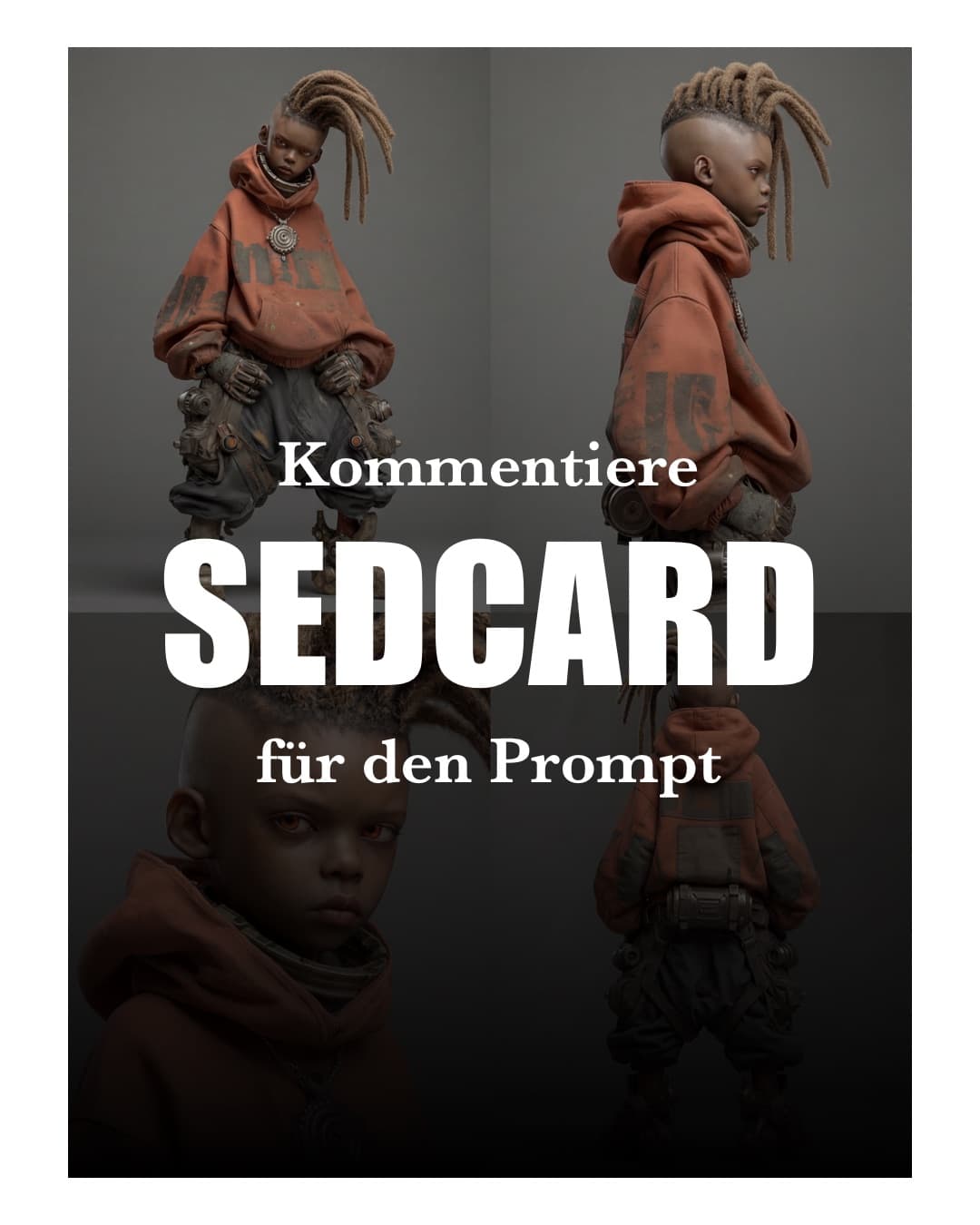
The caption as I used it, in German and without the comment call at the end:
Ein Character Sheet ist der Hebel, den die meisten überspringen.

Oben siehst du vier Panels in einem Bild: Ganzkörper von vorn, Profil, Porträt im 45-Grad-Winkel und Rückansicht. Gleiche Figur, gleiches Outfit, gleiche Gesichtsstruktur. Erstellt mit einem einzigen Prompt.

Warum das für dich wichtig ist:

1. Identität. Bild- und Videomodelle generieren jeden Output ohne Gedächtnis. Zeigst du nur die Vorderseite, erfindet das Modell Seite und Rücken neu, und genau dort schleicht sich Drift ein. Ein Sheet liefert alle Winkel vorab.

2. Einzelbilder. Aus dem Sheet nimmst du jedes Panel als Referenz für Start- und Endframes. Du beschreibst die Figur nie wieder neu, du lädst sie hoch.

3. Licht. Der Punkt, den ich am wichtigsten finde. Viele Videomodelle tun sich mit konsistentem Licht schwer, sobald sich der Kamerawinkel ändert. Der Prompt setzt einen neutralen grauen Studiohintergrund mit kontrastreichem Kinolicht. Alle vier Panels teilen dieselbe Lichtrichtung und dieselben tiefen Schatten. Das Modell bekommt keine widersprüchlichen Lichtinformationen. Achtung: Eine Referenz kann ihr Licht in den Output ziehen. Deshalb lohnt sich ein bewusst neutrales Setup.

Die Logik des Prompts in kurz:
- 2x2 Raster, vier klar benannte Panels
- Linse und Look festlegen (35mm, körnig, tiefe Schatten)
- Der wichtigste Satz: Identität, Gesichtsstruktur und Outfit über alle Panels exakt gleich halten
- Kein Text, keine Logos im Bild

Ehrlich dazu: Perfekte Konsistenz über viele Clips liefert aktuell kein Modell. Das Sheet reduziert Drift, es beseitigt ihn nicht. Prüf jedes Panel, bevor du es weiterverwendest.
Next steps
If you want the character as more than a sheet, as a full board with facial expressions, head studies and hand gestures, use the Character Reference Board. A full walkthrough from character to scene is in Pollo AI Agent.
Sources:
- Fora Soft: Character, Scene and Camera Consistency in Production
- MindStudio: Storyboards and Character Sheets for AI Video Generation
- Renderforest: How to Maintain Character Consistency in AI Videos
- Starpoint: Character Consistency in AI Video
The sources are mostly vendor blogs and workflow guides, not studies. They back the workflow (sheet before video, several angles, neutral lighting in the reference) but give no measured values on lighting consistency.